


The general instructions for completing applications via the SPOT portal.
Index
1. Introduction
These are general instructions for completing applications on the SPOT portal, the Slovenian Business Point.
The images presented in these instructions may therefore differ from the actual images and are symbolic in nature.
Legal basis:
The legal basis varies depending on the specific procedure and its content.
2. Login to the SPOT portal
Before starting to complete the application, you must first log in to SPOT by clicking the "Prijava SI-PASS" button in the top right corner.

3. Selection of the company
After a successful login, you need to select the business entity for which you are submitting the application. On the "My SPOT" desktop, you can choose from the last 6 business entities you have worked with, or click the "Select business entity" button, which will display a list of all business entities.

You can also search for business entities using the search function by entering the tax or registration number of the business entity.

The portal user can only select a business entity where they are registered as the responsible person in the Business Register of Slovenia (PRS). If the application is to be submitted by a user who is not the responsible person, they must arrange for authorization. Instructions for the authorization procedure are available on this website.
4. Selection of the procedure
In the list of procedures, find the one you wish to submit. Procedures are categorized by the relevant authorities. For example, in the FURS category, select the desired procedure.

5. New application
1. Step: Completing the form
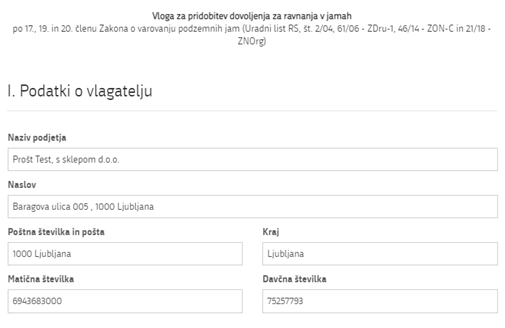
In the first part of the first step, the company (legal entity) details are displayed first, which are retrieved from the PRS (Business Register of Slovenia – AJPES), as well as your personal data, which are retrieved from the SI-PASS registration tool.
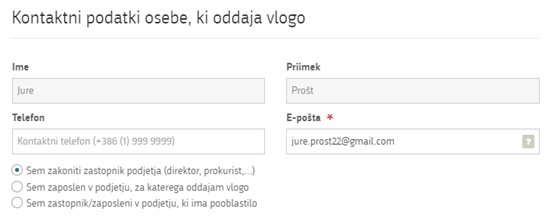
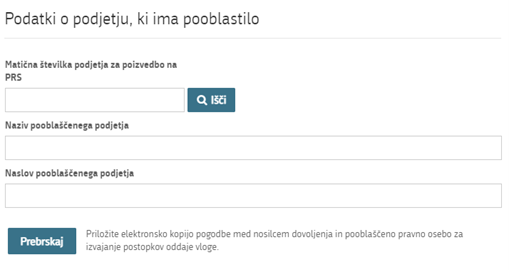
If you are a representative/employee of the company and have authorization to submit this application, fill in the details of the company you work for and attach the authorization.
In the second part of the form, enter the required information regarding the intended action; this varies depending on the specific application.
At the end of this step, attach the documents that will be considered when issuing the permit. Attachments can be in the following formats: jpeg, png, pdf, or tiff, with a size of up to 5 MB, and the total size of all attachments should not exceed 15 MB. It is recommended to use the PDF format, as some authorities do not accept files in other formats.
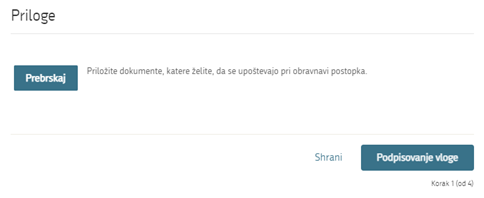
Then, proceed with the signing process.
2. Step: Signing the application
In the second step, the full application form will be displayed. At the end of the form, you will have the option to print the application, return to the form to correct any entered data, or continue to the signing process. During the signing process, a folder (a compressed ZIP folder) is generated containing the signed PDF application, signed XML file, and all attached documents.

By clicking the "Sign" button, the portal redirects the user to "SI-PASS," which enables signing. Enter the SI-PASS password to sign the application.
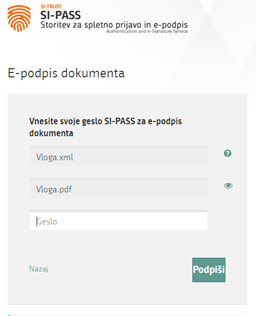
If you notice any mistakes, you can click the "Back to form" button to return to the form and correct the errors.
3. Step: Submitting the application
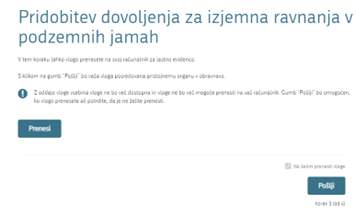
4. Step: Paying for the application
If the e-application is paid through the UJP payment system, you will first see a screen showing how much you need to pay for the application:
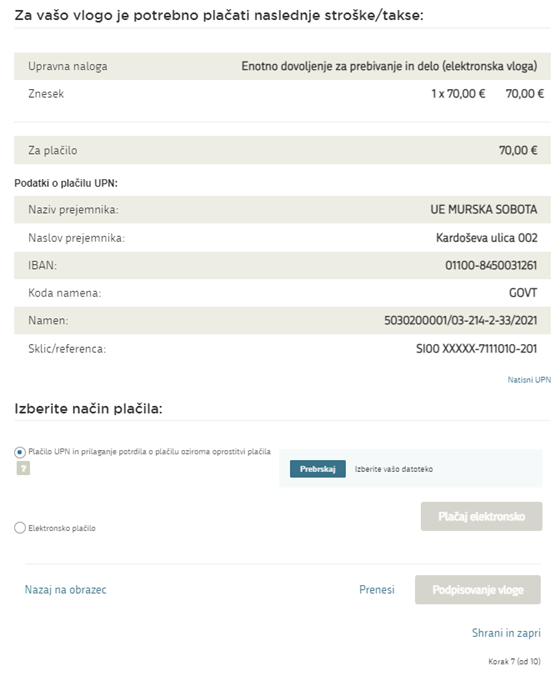
Then, proceed with the payment using one of the payment mechanisms provided by the UJP payment page (credit card, Moneta, etc.). After completing the e-payment, you can save or print the receipt.
- IF PAYMENT HAS ALREADY BEEN MADE:
Instructions for correctly completing the details for classic payment via payment slips or electronic banking. This applies to all e-applications that allow attaching proof of prior payment:
E-applications that allow attaching proof of prior payment:
- Application for a single residence and work permit for a foreigner
- Application for temporary residence and work for a foreigner in the field of research
Costs are paid separately depending on the type of fee:
- Fee for issuing a residence permit: 70.00 EUR
- Document printing cost: 15.47 EUR
|
Payment details |
|
|
SWIFT code |
BSLJSI2X |
|
Purpose code |
GOVT - Plačilo - državni organi |
|
Payment purpose |
Izdaja BDP - Ime in priimek tujca |
|
IBAN |
|
|
Reference for residence permit fee |
SI00 XXXXX-7111010-201 (xxxxxx - del reference, example 62448 -7111010-201 for UE Sežana ) |
|
Reference for document printing fee |
SI00 240340 |
When making the payment, pay attention to the different references. Select the transitional account according to the administrative unit where you are submitting the application.

On this screen, you will see the information that the applicants must complete for prior payment. The payment confirmation must be attached to the relevant section in the e-application.
5. Step: Completed
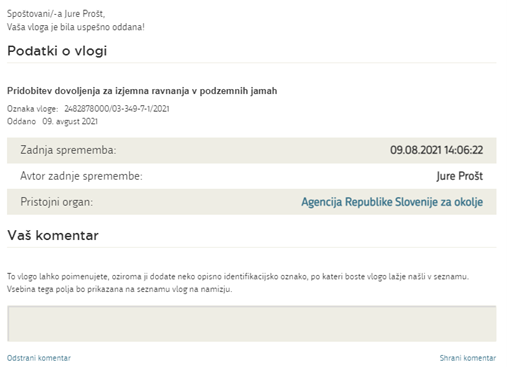
The portal submits the application to the relevant authority for processing. The user will see information about the submitted application and a link to their desktop. The user will receive an email notification about the submission of the application.
- Supplementing the application
If the application is incomplete, the relevant authority will request additional information. You can supplement the application electronically by clicking on "Applications" in the menu and selecting the "Submitted and completed applications" tab. Then, select the application you want to supplement. By clicking on the SPOT number, the application details will appear, and you will find the "Substantively supplement" button.


6. Tracking the application status
Information about applications that are in progress can be found under the "Draft applications" tab.

Once the application is submitted or resolved, it will be moved to the "Submitted and completed applications" tab.
